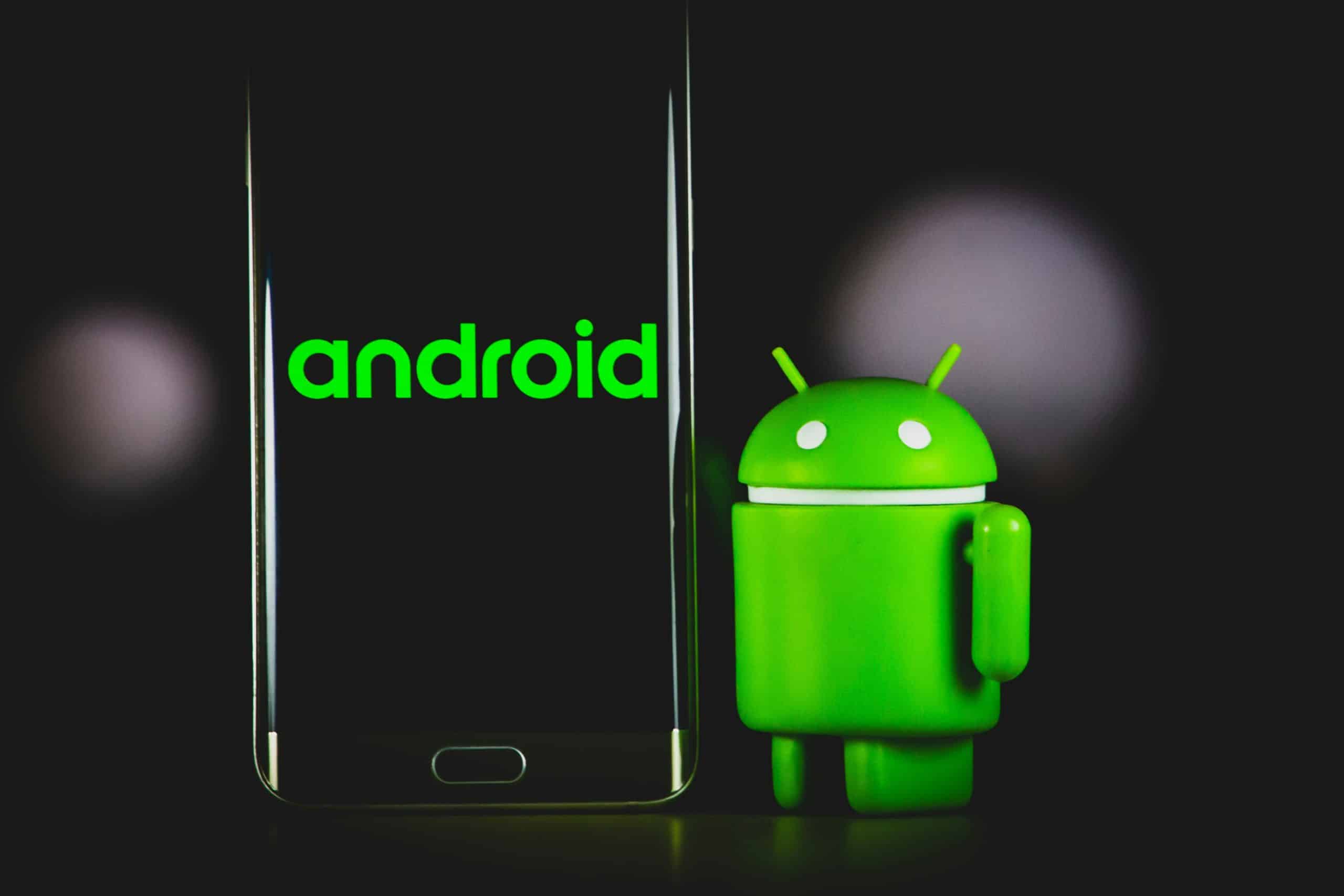
Android Power Shakes up Smartphone Universe

In 2007, the mobile phone market underwent a revolution of sorts when Apple released the iPhone. It was an internet device, an iPod, and a phone all in one package, and it had a large touch screen display.  Nobody has been able to match it yet. The popularity of the Apple iPhone has caused many “traditional” cell phone users to become more interested in these new “smartphones” with touch screens.

Pretty much every major mobile phone maker has since 2007 added touch screen handsets to their offerings, but none have been able to match the impact of the iPhone. Now that mobile phones are seen as essentials for pretty much everyone, will smartphones like the iPhone evolve in the same way? Read the rest of this entry »

Google Android Apps

With the new Android out, apps are one thing that is on everybody’s mind. How will they work? Will there be some good ones? Will they make my phone better, or will they be cheesy? Will my phone hold all the apps I want? Can I shut them down if I don’t like them? These are all good questions, so here are some of the facts.

First, just so that you know, there are a ton of good apps out there. Do not be concerned with poor quality apps, either. The apps that you can get for the new Android system are great. Of course there will probably be some bad ones, but you can get all the good apps that you could possibly want. Read the rest of this entry »

Android map app review

Android comes equipped with a fully interactive map application. But, just how user friendly is this system? Is it really all it is cracked up to be? After all, it should at least be as good as Google maps, right? Well, these are all good questions, so lets just look into the facts and see what Google has come up with. Read the rest of this entry »

Top 10 NetBook Accessories

2009 has brought the word NetBook into our vocabulary, a mash-up of the two words Internet and notebook computer.  This newfound niche for computers fills a void for those users who need to accomplish more than their Blackberry or iPhone can do, without lugging around a full sized notebook computer.  With most models sporting a 9” or smaller screen and weighing 30% less than a traditional notebook, it’s an ideal traveling partner.

With all the good that NetBooks bring, they still need some accessories to help accomplish tasks better and faster.

1. Case Logic’s Urban Messenger Pak

It doesn’t look like a computer bag, yet holds a NetBook, accessories, phone and more in a stylish package. An adjustable shoulder or hand strap lets you carry the bag on your back or in your hands.

case-logic2. MoGo Presenter Mouse X54

This Bluetooth device gives you the freedom of having a mouse to use since most netbooks compromise the trackpad / touchpad space, without the bulk of standard size mouse.  It also includes a presenter function, allowing you to control your NetBook for slideshow presentations.

presenter-mouse

3. NeatReceipts

This mobile scanner allows you tame all of those loose scraps of paper you accumulate on the road. Its OCR technology captures text into a searchable PDF format for easy archival and retrieval. It’s also great for scanning business cards, since its software easily exports to MS Outlook. Best of all, it’s a small device that is not tough to carry around with you.

neat-receipts4. IOGEAR’s USB Laptop KVM Switch with File Transfer

An essential device used to connect your NetBook to a desktop computer for screen sharing and file transfers.  KVM, or keyboard, video, mouse switch traditionally allows two computers to share the same peripherals, the IOGEAR product also allows file transfers via an on-screen menu system.  This small accessory is a great way to utilize your full sized desktop monitor instead of the netbook’s smaller screen and is essential for fast file transfers and backups.

iogear5. Western Digital’s My Passport Elite 500GB USB 2.0 External Hard Drive

The perfect accessory for NetBook users who need to carry lots of data with them.  Most NetBooks come installed with very small hard drives and those with SSD drives are usually 32GB and under, but this slim, fashionable device can carry most anything you’ll need.  Transfer at full USB 2.0 speeds and enjoy the multitude of colors it’s available in to match or clash with your NetBook.

wd-my-passport6. Targus Laptop Chill Mat

You need this device to help keep the heat out of your NetBook and off your lap.  NetBooks are small, that’s what makes them attractive, but they still generate heat and that is computer components worst nightmare.  Utilizing the USB port on your netbook for power, this slim, lightweight mat sits under your computer with two powerful fans to keep your netbook running cool all day long.

targuslaptop-chill-mat7. Samsung SE-S084B Slot Loading Slim 8x DVD Burner

Most NetBooks don’t have room for burners in them, but sometimes you need to either burn something or utilize a CD / DVD drive to load new software.  This slim, slot-loading 8x burner is built for netbooks and laptops and can be completely powered by a USB source, no need to carry a bulky AC adapter to use.

samsung-se-s084b8. IOGEAR’s Wireless USB Hub and Adapter Kit

This USB adapter is perfect for setting up in your home or office (or both) to connect your printer, scanner and other USB devices to, then plug the USB adapter into your netbook to utilize those devices wirelessly, up to 30 feet away.

iogears9. Logitech Alto Cordless Keyboard

For NetBook users, this is the Ferrari of accessories to have at home or the office.  If you utilize your netbook on a fulltime basis, having a full sized keyboard is a must-have.  Additionally, the Alto comes with a stand to hold your netbook at a comfortable viewing angle to reduce neck pain.  Cord management is also integrated to keep everything nice and tidy.

logitech-alto-cordless10. SanDisk Ultra II SDHC memory card

A common feature on NetBooks is a built in SD memory card slot, which is perfect since most point & shoot digital cameras on the market utilize the SD technology.  Additionally, it’s a simple way to easily expand the amount of data that can be stored in the netbook without an external hard drive. Sandisk offers cards from 2GB to 32GB to fit almost any budget and need.  Read/write speed is 15mb/second so you won’t wait long for files to transfer.

san-disk-ultra-2-sdhcUtilizing these 10 accessories will allow you to maximize your new NetBook for everything it has to offer, and then some.  Best of all, these are all small enough to carry with you almost anywhere you go.

Android Cupcake

When Google released its preview of the Android 1.5 software development kit (SDK), Android enthusiasts found out some of the features that would be available in the next Android version. Some of those features include better web browsing, graphical improvements, and many other changes that were promised. From checking out the SDK, it was possible to sleuth out some of the updated Android features and how they will appear in “Cupcake,” the Google Android operating system. Read the rest of this entry »

iPhone Ringtones

Iphones have become very popular these days. The features are amazing. The younger generation is very much keen to personalize the mobile with a customized iphone ringtone. There are many websites available where you can  download music you like and thanks to the converters available in the market, you can make ringtones from basically any audio file.

There are so many websites available which allows you to create a customized ringtone. Just make a free sign up and then upload your desired mp3 song. You will have a time period to select a portion of the song. This part of the song will be your caller tune. Now it has to be converted into an iphone format. There will be obvious buttons or links to be clicked anywhere on the page. On clicking, it will take few seconds to process and then a download button will appear which will say that your ringtone is ready.

On downloading it by a click, you can save it on your computer. Then use iTunes to transfer it to your iphone. Now open the iTunes program and open the folder to drag the specified ringtone that you have saved. Simply connect your iphone to transfer it.

Here are some of the basic steps on how to install ringtones in the iphone:

• Select the SETTINGS option which will have a picture of circular gears.

• Choose SOUNDS option and select which ringtone you want.

• Use the RING or SOUNDS check box and have a tick to select when you want to hear the ringtone sound. It can be set for an incoming call or text message and anything.

• If you wish to activate the vibrate option, go to SOUNDS and select VIBRATE option.

• You can turn off the ringer by the use of the switch on the side of the iphone.

The entire process is just simple and a basic 123 process. I hope the directions are given clearly to create and install the iphone ringtone.

Google Android review

Android is a new open source operating system and software platform for mobile phones. Many people are very excited about this platform, as it promises to unlock many very special opportunities to mobile phones users. But how does it stack up against the tried-and-tested platforms of today’s phones? Lets take a look at what makes Android a system unlike any other.

Unlike many predecessors, Android offers software completely free of charge. This means that Google is expecting some exciting user-created apps for the new phone. This seems to be the number one good thing about Android, the fact that anyone can obtain software,  anyone can create and use apps, and they can do it free of charge!

The apps on the Android platform are completely able to work with one-another, which really comes in handy. For example, you could select a contact from your phonebook, click on it, select find on map, and then you could go right to the map app in order to see where they live!

You will, of course, be able to use Android with 3G speed, which means that accessing the internet via a web browser will be absolutely no problem. You will also be able to access web pages exactly as they would appear on your web browser, which really helps cut down on the confusion when you are trying to find information.

It can also be used in touch screen, and of course can include all of these features. Android is also capable of a completely 3d user friendly interface. This means that things like 3d apps and games will be no problem. In fact, they will probably look better than ever! It is also very easy to mix 2d and 3d elements on Android.

It looks like Google has delivered a spectacular platform, and you can bet that you won’t be disappointed.

What You Should Know about Android G1 Phones

Many people are happily clueless when it comes to technology. But while ignorance may be bliss, it also usually holds people back and should be overcome. Android phones are not part human. That is simply the name that Google gave to the phones that utilize Google’s mobile operating system called Android. It is the Internet giant’s entry into the world of mobile phones.

Not that many people have Android phones yet. There is actually only one model, the G1. Released in late 2008, the G1 is the only phone that supports the Android operating system. While there may be other Android enabled phones in the future, the G1 is the only option right now. The phone itself is fairly reasonably priced at under $200.

Android G1 Phones

Android G1 Phones

Perhaps the greatest thing about the Android G1 phone is that the coding for it is open source. What that means is that users can have access to the code and change it. There are some restrictions to doing this, but it is a new and welcome option in the world of phones. Google has set certain parts of the code to be off limits to the public, so the code isn’t fully open. But most of it is, and that’s way more than any other phone provider allows.

While other prototype phones have been developed, the G1 is the only Android phone you can get your hands on. No other prototypes have been released. If you spot another phone running the Android operating system, it’s probably not a phone offered by any of the major wireless providers.

The thing that everyone naturally wants to know is, is the G1 Android phone worth your money?

The answer is an emphatic yes. To put it briefly, the advantages of this phone outweigh the disadvantages enough to make it a great thing to buy. Since they cost under $200, they are already much less expensive than other phones with similar features. The difference is that the Android G1 has a full QWERTY keyboard. This is a fantastic bonus to the touch screen, because most touch screens don’t have a physical keypad.

While some people have complained that the G1’s QWERTY keyboard isn’t as spiffy as it could be, it is definitely better than the alternative, which would be no keypad at all. The keyboard, along with its fully operational open source operating system, are enough by themselves to make the Android G1 phone a great choice.

Remaining in the dark about improvements to technology means never finding out about great developments like the G1 Android phone. It is a powerful technological advance because it is the first phone with a new operating system that is designed with user improvements in mind. While this is enough of a selling point, also keep in mind that similar phones cost nearly twice as much. While the G1 is the only Android phone on the market right now, it will certainly be followed by many more improved models.

What is Android and Why Should You Care?

Android is for the most part, an operating system, a software platform that is made especially for mobile phones. Android is developed by Google. It allows code developers to write code in a language that is similar to Java. It also uses Java libraries that Google develops.

Android doesn’t run programs that are developed in Java itself. The Android platform made its debut in November 2007, which coincided with the advent of the Open Handset Alliance. The Open Handset Alliance was created with over 30 software, hardware, and telecommunications organizations, all of whom promised to promote open standards for mobile phone software.

Google Phone - Android

Google Phone - Android

It all started with Google acquiring Android, Inc.  Android was already known for making software for mobile phones. In July 2005, Google bought Android Inc., and rumors began that Google would be making a mobile phone. Google later applied for a patent on a mobile payment paradigm that it called Gpay. Gpay would allow customers to send a message to Google providing payment details to a designated payee. Gpay would debit the user’s account and credit the account of the payee.

As with any revolutionary venture, Google’s Android may pose its own risks. Its open source phone operating system in conjunction with the Open Handset Alliance might expose mobile phone operators to more security risks than other current devices on the market. There is yet no one central authority that can certify Android applications, so there is the risk of misuse. But Android was also made in such a way that misuse is held to a minimum.

Android is a Linux-based system, and for each application, code developers must follow a specific procedure. This is to avoid malicious programs disturbing other applications or even phone functions. For example, if an app needs access to data or phone operations – perhaps to read phone numbers to make a call – the user will have to explicitly enable this function during installation.

So far, an Android emulator and part of the software development kit that is available for free have been used to demonstrate the functionality of the system. One example was an application that could study a shopping list on a Google spreadsheet and convert it to proper format for a mobile phone. Data in the spreadsheet could be edited in real time using Android, showing that Android may become a real power tool for phone app developers.

ShareYourBoard

This is an aword winning Android application that will allow you to save every idea that pops up in your head. You can capture wightboard pictures from any angle, save and edit comments and share it with your friends. Simply a great application!

WhiteBoard

WhiteBoard